Getting Started
Introduction
This is the Gaussian Decomposition software described in Nidever et al. (2008) following the algorithm from Haud (2000). While it was designed to be used for HI spectra, it can be used for other types of data like Halpha spectra.
Note that I wrote this software as a first-year graduate student back in 2005 and I haven’t had much time to optimize it since then. One of my goals is to speed it up.
Overview of Python code: Python Overview
Overview of IDL code: IDL Overview
Python Overview
There are five main modules:
driver: Decomposes all of the spectra in a datacube.
fitter: Does the actual Gaussian Decomposition.
cube: Contains theCubeclass for a data cube.
spectrum: Contains theSpectrumclass for a single spectrum.
utils: Various utility functions.
There is a class for data cubes called Cube and a class for spectra called Spectrum.
To fit a single spectrum you first need to create the Spectrum object.
from gaussdecomp import spectrum,fitter
sp = spectrum.Spectrum(flux,vel)   # flux and velocity arrays
out = fitter.gaussfit(sp)          # do the fitting
You can make a nice plot using gplot().
from gaussdecomp import utils
utils.gplot(vel,flux,par)
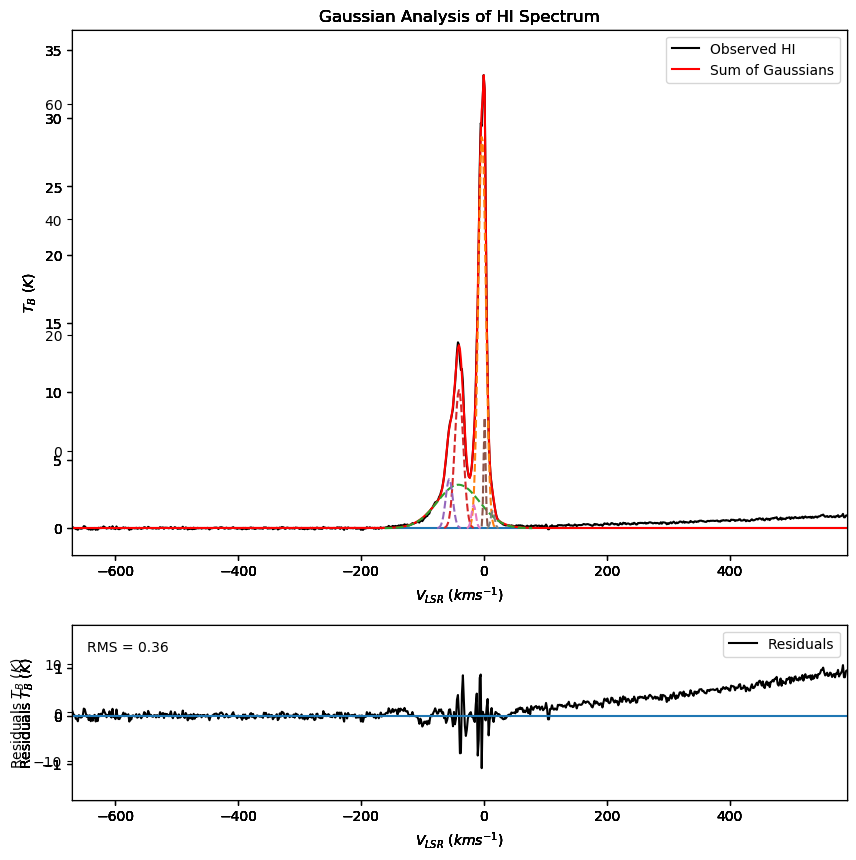
To fit an entire datacube, you can either give the driver code a datacube object you have already created or give it a FITS filename.
from gaussdecomp import cube,driver
# Load the cube first
datacube = cube.Cube.read('mycube.fits')
gstruc = driver.driver(datacube)

# Give it the FITS filename
gstruc = driver.driver('mycube.fits')
See the Examples page for some examples of how Python gaussdecomp runs.
IDL Overview
The software was originally run on the Leiden-Argentine-Bonn all-sky HI survey and there are hard-coded settings that need modification for certain datasets. My plan is to modify the code at some point in the future to be more general and to allow these values to be more configurable. Currently, I’ve been making dataset-specific copies of five of the programs and modifying the settings. The programs are:
gdriver.pro: Main driver program. There are a few hard-coded defaults that you might want to change.
gloadspec.pro: Loads the cube. You might want to make some modifications to how it loads the data.
gincrement.pro: Increments the current position. Depending on the data the step-size will change.
parcheck.pro: Checks if Gaussians have “bad” parameters. The thresholds for “bad” might need to be tweaked.
setlimits.pro: Set limits on all of the Gaussian parameters (height, velocity, width).
hinoise.pro: The program that calculates the noise in each spectrum. You should set which velocity range to use.
However, for most cubes the defaults should be okay.
See the Examples page for some examples of how IDL gaussdecomp runs.